
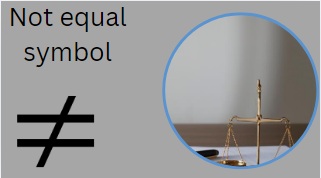
Not Equal Symbol (≠): Meaning Uses Alt Codes Examples and Complete Guide
Learn everything about the not equal symbol (≠) including its meaning definition keyboard shortcuts Alt codes uses in mathematics programming Excel and logic. Discover how to type and use the not equal sign correctly.
Not Equal Symbol (≠): The Ultimate Guide
The not equal symbol (≠) is one of the most commonly used mathematical symbols in mathematics science statistics programming and logic. It represents that two values quantities expressions or objects are not the same.
Whether you’re a student teacher programmer engineer or researcher understanding the not equal sign is essential because it appears in equations formulas coding languages spreadsheets and logical expressions.
In this complete guide you’ll learn everything about the not equal symbol including its meaning history keyboard shortcuts Unicode values applications examples and differences from related mathematical symbols.
What Is the Not Equal Symbol?
The not equal symbol is written as:
≠
It means:
The value on the left side is different from the value on the right side.
Example:
5 ≠ 7
This statement means that 5 is not equal to 7.
Another example:
10 ≠ 12
Since 10 and 12 have different values the statement is true.
Definition of the Not Equal Symbol
The not equal symbol is a mathematical notation used to indicate that two expressions do not have the same value.
Formal Definition
If:
a ≠ b
Then:
- a is not equal to b
- b is not equal to a
- The two quantities are different
Not Equal Symbol Copy and Paste
Many users search for a quick way to copy the symbol.
Copy Here:
≠
You can copy and paste it into:
- Word documents
- Excel spreadsheets
- Emails
- Websites
- Social media posts
- Programming environments
- Mathematical equations
Meaning of the Not Equal Symbol
The symbol communicates inequality between two values.
Examples
| Expression | Meaning |
| 3 ≠ 5 | 3 is not equal to 5 |
| x ≠ 0 | x cannot be zero |
| a ≠ b | a and b are different |
| 100 ≠ 101 | The numbers are unequal |
The symbol is fundamental in algebra and logical reasoning.
History of the Not Equal Symbol
The development of mathematical notation evolved over centuries.
The equal sign (=) was introduced by Welsh mathematician Robert Recorde in 1557.
As mathematics became more advanced mathematicians needed a way to indicate inequality. The not equal symbol emerged as a variation of the equal sign with a diagonal slash through it.
Today the symbol is recognized worldwide and appears in mathematical standards scientific publications programming languages and educational materials.
How the Not Equal Symbol Is Written
The symbol consists of:
- Two parallel horizontal lines
- A diagonal slash crossing through them
Visual Representation
Equal Sign:
=
Not Equal Sign:
≠
The diagonal line indicates negation meaning the equality relationship does not exist.
Not Equal Symbol in Mathematics
Mathematics is the primary field where the symbol is used.
Example 1
2 + 2 ≠ 5
Since 2 + 2 equals 4 not 5 the statement is true.
Example 2
9 ≠ 6
These numbers are different.
Example 3
x² ≠ x
This is true for many values of x.
Not Equal Symbol in Algebra
Algebra frequently uses the symbol when comparing variables and expressions.
Example
x ≠ 0
This means:
- x can be any number
- Except zero
This restriction often appears in fractions because division by zero is undefined.
Example
1xx≠0\frac{1}{x} \quad x \neq 0x1x=0
Not Equal Symbol in Geometry
Geometry uses inequality symbols when comparing:
- Angles
- Lengths
- Shapes
- Measurements
Example
Angle A ≠ Angle B
This means the two angles have different measurements.
Not Equal Symbol in Statistics
Statistics relies heavily on hypothesis testing.
Example
Null Hypothesis:
H₀: μ = 50
Alternative Hypothesis:
H₁: μ ≠ 50
This indicates researchers are testing whether the population mean differs from 50.
Not Equal Symbol in Logic
Logical expressions use the symbol to indicate different truth values or objects.
Example
A ≠ B
This means:
- A and B represent different entities
- The statements are not identical
Logic philosophy and computer science frequently use this notation.
Not Equal Symbol in Programming
Programming languages often use alternative forms of the not equal operator because the actual symbol (≠) may not be available on standard keyboards.
Common Programming Not Equal Operators
| Language | Operator |
| Python | != |
| Java | != |
| JavaScript | != |
| C++ | != |
| C# | != |
| PHP | != |
| Swift | != |
| Ruby | != |
Python Example
if x != y:
printValues are different
This checks whether x and y are not equal.
Not Equal Symbol in SQL
SQL databases use:
!=
or
<>
Example
SELECT *
FROM Employees
WHERE Salary <> 50000;
This retrieves records where the salary is not equal to 50000.
Not Equal Symbol in Excel
Microsoft Excel uses:
<>
instead of ≠.
Example
=A1<>B1
The formula returns:
- TRUE if values differ
- FALSE if values are equal
Excel users frequently use this operator in logical formulas and conditional formatting.
How to Type the Not Equal Symbol on Windows
Several methods exist.
Method 1: Alt Code
Hold:
Alt + 8800
or
Alt + 2260 (depending on software support)
Result:
≠
Method 2: Character Map
- Open Character Map
- Search for “Not Equal To”
- Copy the symbol
- Paste it where needed
Method 3: Microsoft Word
Type:
2260
Then press:
Alt + X
Result:
≠
How to Type the Not Equal Symbol on Mac
Mac users can insert special symbols through:
Character Viewer
- Press Control + Command + Space
- Search for “not equal”
- Insert the symbol
Result:
≠
Not Equal Symbol Unicode
Unicode Information
| Property | Value |
| Symbol | ≠ |
| Unicode | U+2260 |
| HTML Entity | ≠ |
| HTML Code | ≠ |
| LaTeX | \neq |
Not Equal Symbol in HTML
Web developers can use HTML entities.
HTML Code
≠
Output:
≠
Numeric Entity
≠
Output:
≠
Not Equal Symbol in LaTeX
LaTeX users write:
\neq
or
\ne
Example:
x \neq y
Output:
x ≠ y
Difference Between Equal and Not Equal Symbols
| Symbol | Meaning |
| = | Equal to |
| ≠ | Not equal to |
Examples
1 5 = 5 ✓
2 5 ≠ 5 ✗
3 5 ≠ 7 ✓
Understanding this distinction is fundamental to mathematics.
Related Mathematical Symbols
Several symbols are closely related to the not equal sign.
| Symbol | Meaning |
| = | Equal to |
| ≠ | Not equal to |
| > | Greater than |
| < | Less than |
| ≥ | Greater than or equal to |
| ≤ | Less than or equal to |
| ≈ | Approximately equal |
| ≡ | Identically equal |
| ∝ | Proportional to |
These symbols are widely used in equations and scientific notation.
Examples of Not Equal Symbol Usage
Arithmetic
8 ≠ 10
Algebra
x ≠ 4
Statistics
μ ≠ 100
Programming
a != b
Excel
=A1<>B1
Each example expresses inequality.
Why the Not Equal Symbol Is Important
The not equal sign plays a critical role in:
Mathematics
Comparing values accurately.
Science
Describing experimental differences.
Engineering
Specifying constraints and tolerances.
Programming
Creating logical conditions.
Data Analysis
Filtering unequal values.
Without the symbol expressing inequality would be much more complicated.
Common Mistakes When Using the Not Equal Symbol
Confusing ≠ With =
Incorrect:
5 = 7
Correct:
5 ≠ 7
Using != in Mathematical Writing
Programming:
x != y
Mathematics:
x ≠ y
Use the appropriate notation for the context.
Mixing Excel and Programming Syntax
Excel:
<>
Programming:
!=
They represent the same concept but use different notation.
Educational Importance of the Not Equal Symbol
Students encounter the not equal sign in:
- Elementary mathematics
- Algebra
- Geometry
- Calculus
- Statistics
- Computer science
Learning its meaning early helps build strong mathematical reasoning skills.
Frequently Asked Questions (FAQs)
What does the not equal symbol mean?
The symbol ≠ means two values or expressions are different and do not have the same value.
Example
5 ≠ 6
What is the Alt code for the not equal symbol?
Common Alt codes include:
- Alt + 8800
- Unicode U+2260
How do I type the not equal symbol in Word?
Type:
2260
Then press:
Alt + X
What is the not equal operator in programming?
Most programming languages use:
!=
instead of the mathematical symbol.
What does <> mean?
The operator <> means “not equal to” in:
- Excel
- SQL
- Some database systems
Is ≠ the same as !=?
Yes. Both mean “not equal.”
The difference is only the context:
- Mathematics: ≠
- Programming: !=
Conclusion
The not equal symbol (≠) is one of the most important symbols in mathematics logic statistics engineering and computer programming. It clearly indicates that two values expressions or quantities are different. From algebraic equations and scientific formulas to Excel spreadsheets and programming languages the concept of inequality is essential for accurate calculations and logical reasoning.
Whether you need to copy and paste the not equal symbol type it using Unicode use it in HTML LaTeX Excel SQL or programming languages understanding this symbol will improve your mathematical and technical communication. Mastering the not equal sign is a small but crucial step toward greater proficiency in mathematics data analysis coding and problem-solving.