
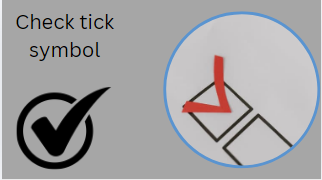
Check Tick Symbol (✔ ✓) – Meaning Types Uses and Complete SEO Guide
The check tick symbol (✔ ✓) is one of the most widely used symbols in digital communication design documents and user interfaces. It represents approval correctness completion or selection. From to-do lists to Google search snippets this simple symbol plays a powerful role in improving clarity and user experience.
In this comprehensive SEO-friendly guide you will learn everything about the check tick symbol including its meaning types Unicode values copy-paste options usage in software like Microsoft Word and Microsoft Excel HTML codes SEO benefits and much more.
What Is a Check Tick Symbol?
A check tick symbol is a graphical mark used to indicate:
- Correctness
- Completion
- Approval
- Selection
- Confirmation
It is commonly written as:
- ✔ (Heavy check mark)
- ✓ (Light check mark)
- ☑ (Ballot box with check)
- ✅ (Green check emoji)
In everyday digital communication it replaces phrases like done yes or correct.
Meaning of Check Tick Symbol
The meaning of the check tick symbol depends on context:
- Completion
1 Used in task lists to show a completed task:
- Finish homework ✔
- Submit report ✔
- Correct Answer
2 Used in exams or quizzes:
- Your answer is correct ✓
- Approval
4 Used in business workflows:
- Document approved ✔
- Selection
5 Used in forms or UI:
- Selected option ☑
- Confirmation
Used in online systems:
- Payment successful ✔
Types of Check Tick Symbols
There are several variations of check marks used globally:
- Basic Check Mark (✓)
Simple and lightweight symbol.
- Heavy Check Mark (✔)
Bold version used for emphasis.
- Ballot Check Box (☑)
Used in forms and checklists.
- Green Check Emoji (✅)
Used in messaging apps and social media.
5. Double Check Marks (✔✔)
Used to show multiple confirmations.
Unicode for Check Tick Symbols
Here are commonly used Unicode values:
| Symbol | Name | Unicode |
| ✓ | Check Mark | U+2713 |
| ✔ | Heavy Check Mark | U+2714 |
| ☑ | Ballot Box with Check | U+2611 |
| ✅ | Green Check Mark Emoji | U+2705 |
These Unicode values ensure consistency across devices and platforms.
Copy and Paste Check Tick Symbols
You can directly copy these symbols:
- ✓
- ✔
- ☑
- ✅
These are widely supported in browsers apps and documents.
Check Tick Symbol in HTML
Web developers use HTML codes to display check marks:
✓ <!– ✓ –>
✔ <!– ✔ –>
☑ <!– ☑ –>
✅ <!– ✅ –>
These HTML entities ensure proper rendering across all browsers.
Check Tick Symbol in CSS
You can also use symbols in CSS content property:
.check::before {
content:
color: green;
font-size: 18px;
}
This is commonly used in modern UI design systems.
Check Tick Symbol in Microsoft Word
In Microsoft Word you can insert a check mark using:
1 Method 1: Insert Menu
- Go to Insert → Symbol → More Symbols
- Choose Wingdings or Unicode font
2 Method 2: Shortcut
- Alt + 0252 (✓ in some fonts)
3 Method 3: Bullet Lists
- Use checkmark bullets for task lists
Check Tick Symbol in Microsoft Excel
In Microsoft Excel check marks are used for tracking:
How to insert:
- Insert → Symbol → ✔
- Use IF formulas:
=IF(A1>10✘)
Use cases:
- Task tracking
- Project management
- Status reporting
Check Tick Symbol in Google Docs
Google Docs also supports check marks:
- Insert → Special Characters → Search check
- Use bullet checklist feature
Keyboard Shortcuts for Check Mark
There is no universal keyboard key but you can use:
Windows:
- Alt + 0252 (varies by font)
Mac:
- Option + V (in some apps)
Unicode input:
- Type Unicode + Alt + X (Word only)
Check Tick Symbol in Mobile Devices
Android:
- Long press symbols on keyboard
- Use emoji panel
iPhone (iOS):
- Emoji keyboard → ✔ or ✅
Check Tick Symbol in Design and UI
Designers use check marks in:
- Buttons (Submit ✔)
- Progress bars
- Forms
- Confirmation messages
It improves user experience (UX) by making actions visually clear.
Psychological Impact of Check Mark Symbol
The check mark is powerful because it triggers positive psychological responses:
- Sense of achievement
- Completion satisfaction
- Reduced cognitive load
- Instant recognition
This is why apps like task managers and learning platforms heavily use it.
SEO Benefits of Using Check Tick Symbol
In SEO content writing check marks improve:
- Readability
Breaks long text into scannable points.
- Engagement
Users stay longer on structured content.
3. CTR Improvement
Rich snippets sometimes display check-style formatting.
- Featured Snippets
Google prefers structured lists with symbols.
Check Tick Symbol in Social Media
On platforms like Facebook Instagram and WhatsApp:
- ✔ = completed task
- ✅ = verified or correct info
- ☑ = selection
It is widely used in captions bios and comments.
Common Uses of Check Tick Symbol
Education
- Correct answers in tests
- Assignment completion
Business
- Task approval
- Reports
Websites
- Pricing tables
- Feature lists
Apps
- Task managers (To-do lists)
- Productivity tools
Check Tick Symbol vs Cross Symbol
| Check Mark ✔ | Cross Mark ✘ |
| Correct | Incorrect |
| Approved | Rejected |
| Completed | Incomplete |
Both symbols are often used together for clarity.
Accessibility Considerations
For screen readers:
- Always use descriptive text with symbols
- Example: Task completed ✔ instead of just
This ensures better accessibility for visually impaired users.
Advanced Usage in Programming
Developers often use check marks in:
JavaScript UI:
document.getElementById(status).innerHTML = Done
Python output:
print(Task Completed ✔)
Check Tick Symbols in Branding
Many brands use check marks in logos or UI:
- Trust indicators
- Verified badges
- Completion status icons
It builds trust and credibility.
FAQs About Check Tick Symbols
- What does a check tick symbols mean?
It means correct completed or approved.
- How do I type a check mark?
You can copy-paste ✓ or use Unicode/keyboard shortcuts.
- Is check mark the same as a tick?
Yes both refer to the same symbol.
4. Can I use check marks in SEO content?
Yes it improves readability and engagement.
- What is the green check mark?
It is an emoji (✅) used for confirmation or success.
Meta Description (SEO)
Learn everything about the check tick symbols(✔ ✓) its meaning types Unicode copy-paste codes HTML usage and how to use it in Microsoft Word Excel and SEO content for better readability and ranking.
Conclusion
The check tick symbols is a simple yet powerful visual tool used across digital platforms documents websites and applications. Whether you are working in Microsoft Word analyzing data in Microsoft Excel or writing SEO content for Google rankings this symbol improves clarity structure and user engagement.
By using check marks strategically you can enhance readability improve UX and boost SEO performance—making your content more attractive for both users and search engines.