
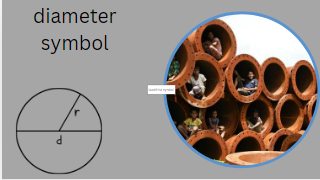
Diameter Symbol (Ø): Meaning Uses Alt Codes Engineering Applications and Complete Guide
Learn everything about the diameter symbol (Ø) including its meaning origin engineering uses mathematical applications keyboard shortcuts Alt codes Unicode values and how to type it on Windows Mac and mobile devices.
Diameter Symbol (Ø)
The diameter symbol (Ø) is one of the most widely recognized symbols in engineering mathematics manufacturing drafting architecture and technical design. It is used to indicate the diameter of a circular object hole pipe shaft cylinder or round component.
Whether you’re reading a technical drawing creating a CAD model studying geometry or working in manufacturing understanding the diameter symbol is essential.
The symbol appears as:
Ø
In engineering drawings a notation such as:
Ø25 mm
means the object has a diameter of 25 millimeters.
This article explores the diameter symbol’s meaning history applications keyboard shortcuts Unicode values mathematical significance and industry-specific uses.
What Is the Diameter Symbol?
The diameter symbol (Ø) is a special character used to represent the diameter of a circle or cylindrical object.
Definition
Diameter is the straight-line distance passing through the center of a circle and connecting two points on its circumference.
The diameter symbol is written before a numerical value:
Ø10
This means the circular feature has a diameter of 10 units.
Diameter Symbol Copy and Paste
Many users search for a quick copy-and-paste version of the diameter symbol.
Diameter Symbol
Ø
Lowercase Diameter Symbol
ø
Diameter Symbol Collection
| Symbol | Meaning |
| Ø | Diameter Symbol |
| ø | Lowercase Diameter Symbol |
| ⌀ | Technical Diameter Sign |
| ○ | Circle |
| ◯ | Large Circle |
| ⊙ | Circle with Dot |
Simply copy the symbol and use it in documents CAD notes engineering reports spreadsheets or presentations.
Diameter Symbol in Mathematics
In mathematics the diameters represents a line segment passing through the center of a circle.
The relationship between radius and diameters is:
d=2rd=2rd=2r
Where:
- d = diameter
- r = radius
For example:
If radius = 5 cm
Then:
Diameters = 10 cm
The diameter is always twice the radius.
Diameter Formula
The standard formula for diameter is:
d=2rd=2rd=2r
Other related formulas include:
Diameter from Circumference
d=Cπd=\frac{C}{\pi}d=πC
Diameter from Area
d=2Aπd=2\sqrt{\frac{A}{\pi}}d=2πA
These formulas are commonly used in geometry engineering and manufacturing calculations.
History of the Diameter Symbol
The diameter symbols evolved from technical drafting practices used by engineers and machinists.
Before standardized symbols existed engineers had to write the word “diameters” repeatedly in blueprints.
As engineering drawings became more complex during the Industrial Revolution shorthand symbols emerged.
The symbol Ø became internationally accepted because:
- It saves space.
- It is easy to recognize.
- It reduces drafting errors.
- It works across multiple languages.
Today it is recognized by standards organizations worldwide.
Diameter Symbol in Engineering
Engineering is where the diameters symbols is most commonly used.
Examples:
Hole Diameter
Ø10 mm
Means a hole diameters of 10 millimeters.
Shaft Diameter
Ø50 mm
Means a shaft diameter of 50 millimeters.
Pipe Diameter
Ø100 mm
Means the pipe diameter is 100 millimeters.
Bolt Diameter
Ø12 mm
Indicates a bolt size of 12 millimeters.
Engineers use the symbols to eliminate ambiguity in technical documents.
Diameter Symbol in Mechanical Engineering
Mechanical engineers frequently use the diameter symbol when designing:
- Bearings
- Shafts
- Gears
- Bushings
- Fasteners
- Couplings
- Cylinders
- Pipes
For example:
Ø30 H7
This specifies both the diameters and tolerance of a machined feature.
Precision manufacturing depends heavily on correct diameter notation.
Diameter Symbol in Technical Drawings
Technical drawings use standardized notation to communicate manufacturing requirements.
Example:
Ø20 THRU
Meaning:
A 20 mm hole passes completely through the material.
Other common annotations include:
- Ø10 ±0.05
- Ø25 DEPTH 15
- 4X Ø8
- Ø50 COUNTERBORE
These instructions guide machinists and CNC operators.
Diameter Symbols in CAD Software
Popular CAD software supports the diameters symbols.
Examples include:
- AutoCAD
- SolidWorks
- CATIA
- Fusion 360
- PTC Creo
CAD systems automatically insert diameters symbols when dimensioning circular features.
Benefits include:
- Consistency
- Accuracy
- Industry compliance
- Faster drafting
Diameter Symbols in Manufacturing
Manufacturing industries rely on diameter measurements for quality control.
Applications include:
- CNC machining
- Metal fabrication
- Injection molding
- Aerospace components
- Automotive parts
- Medical devices
Even a small diameter error can lead to product failure.
Diameter Symbols in Architecture
Architects use the diameters symbols when specifying:
- Circular columns
- Pipes
- Ducts
- Structural elements
- Utility systems
Example:
Ø200 PVC Pipe
Indicates a pipe diameters of 200 millimeters.
Diameter Symbol in Construction
Construction drawings often include diameters dimensions for:
- Reinforcement bars
- Concrete piles
- Drainage systems
- Water lines
- Structural steel
Example:
Ø16 Rebar
Specifies reinforcement steel with a 16 mm diameters.
Diameter Symbol Unicode
The diameter symbols has several Unicode representations.
| Character | Unicode |
| Ø | U+00D8 |
| ø | U+00F8 |
| ⌀ | U+2300 |
The technical diameters sign ⌀ is often preferred in engineering documentation.
Diameter Symbol Alt Code
Windows users can type the diameters symbols using Alt codes.
| Symbol | Alt Code |
| Ø | Alt + 0216 |
| ø | Alt + 0248 |
Steps
- Enable Num Lock.
- Hold Alt.
- Enter the code.
- Release Alt.
The symbols appears instantly.
How to Type the Diameter Symbol on Windows
Methods include:
Alt Code
Alt + 0216
Character Map
- Open Character Map.
- Search for Ø.
- Copy and paste.
Microsoft Word
Type:
00D8
Then press:
Alt + X
Result:
Ø
How to Type the Diameter Symbol on Mac
Mac users can enter the symbols using keyboard shortcuts.
Shortcut
Option + Shift + O
Result:
Ø
Lowercase:
Option + O
Result:
ø
How to Type Diameter Symbol on Mobile Devices
Android
- Open keyboard.
- Access symbols.
- Search special characters.
- Copy-paste if unavailable.
iPhone
- Hold related characters.
- Use symbol keyboards.
- Copy and paste Ø.
Many professionals save the symbols in notes for quick access.
Diameter Symbols vs Empty Set Symbol
Many people confuse the diameters symbol with the empty set symbols.
| Symbol | Meaning |
| Ø | Diameter |
| ∅ | Empty Set |
Diameter Symbol
Used in engineering and drafting.
Empty Set Symbols
Used in mathematics and set theory.
Although they appear similar their meanings differ significantly.
Diameter Symbol vs Phi Symbol
Another common confusion involves the Greek letter Phi.
| Symbol | Meaning |
| Ø | Diameter |
| Φ | Greek Phi |
| φ | Lowercase Phi |
Engineers occasionally use Phi in place of diameters notation but official standards prefer Ø or ⌀.
International Standards for Diameter Symbols
Diameters symbols are governed by international drafting standards.
Important standards include:
- International Organization for Standardization (ISO)
- American National Standards Institute
- ASME
These standards ensure drawings are universally understood.
Common Industries That Use Diameter Symbols
The diameters symbol appears in numerous industries:
Aerospace
Used for:
- Turbine shafts
- Fasteners
- Engine components
Automotive
Used for:
- Pistons
- Bearings
- Brake rotors
Medical
Used for:
- Surgical instruments
- Implants
- Catheters
Manufacturing
Used for:
- Machined parts
- Tooling
- Production equipment
Construction
Used for:
- Pipes
- Rebar
- Structural components
Benefits of Using the Diameter Symbols
Advantages include:
Improved Accuracy
Clear dimensional communication.
Faster Reading
Engineers instantly recognize diameters measurements.
Reduced Errors
Prevents manufacturing mistakes.
Global Standardization
Works across countries and industries.
Better Documentation
Creates professional technical drawings.
Frequently Asked Questions
What does Ø mean?
Ø indicates the diameters of a circular object hole pipe or cylindrical component.
Is Ø the same as diameters?
Yes. In engineering drawings Ø means diameters.
What is the Alt code for Ø?
Alt + 0216.
What is the Unicode for the diameters symbol?
Ø = U+00D8.
What is the technical diameters sign?
⌀ (Unicode U+2300).
Can I copy and paste the diameters symbol?
Yes:
Ø
ø
⌀
Is Ø used in mathematics?
Yes. It is associated with circle geometry and diameters measurements.
Is Ø different from the empty set symbol?
Yes. Ø represents diameters while ∅ represents an empty set in mathematics.
Conclusion
The diameters symbols (Ø) is a universally recognized technical symbols used across engineering mathematics manufacturing architecture construction and design. It provides a concise and standardized way to represent the diameters of circular objects helping professionals communicate dimensions accurately and efficiently.
From CAD software and CNC machining to geometry calculations and technical drawings the diameter symbols remains an essential part of modern engineering language. Understanding its meaning Unicode values keyboard shortcuts formulas and applications ensures accurate documentation and effective communication across industries.
Whether you need to type Ø understand a blueprint create a CAD drawing or solve geometry problems mastering the diameter symbols is a valuable skill for students engineers designers and technical professionals alike.
SEO Keywords: diameters symbols diameters symbols copy paste Ø symbols diameters sign technical diameters symbols diameters symbols alt code diameters symbols unicode diameters symbols keyboard shortcut engineering diameters symbols circle diameters symbols diameters notation diameters symbols in AutoCAD diameter symbols in SolidWorks diameters symbols meaning diameters formula diameters measurement technical drawing symbols CAD symbols machining symbols engineering symbols.